You usually know exactly what you are getting when you pick up a pair of Beats. You expect heavy bass, a secure fit, and a battery that lasts through a marathon. But the Powerbeats Pro 2 has shifted that conversation. For the first time, Apple has integrated a heart rate monitor directly into the earbuds.
This change sounds small on a spec sheet, but it fundamentally alters how you prepare for a workout. It is not just about adding a sensor; it is about simplifying the chaotic ecosystem of fitness tech into something you can just put in your ears and forget.
The End of the Chest Strap Struggle
The most immediate problem the Powerbeats Pro 2 solves is the "gear fatigue" that hits anyone who takes training seriously. If you have ever spent ten minutes digging through a gym bag looking for a heart rate monitor chest strap, only to find the battery dead or the strap smelling like last week’s sweat, you understand this pain.
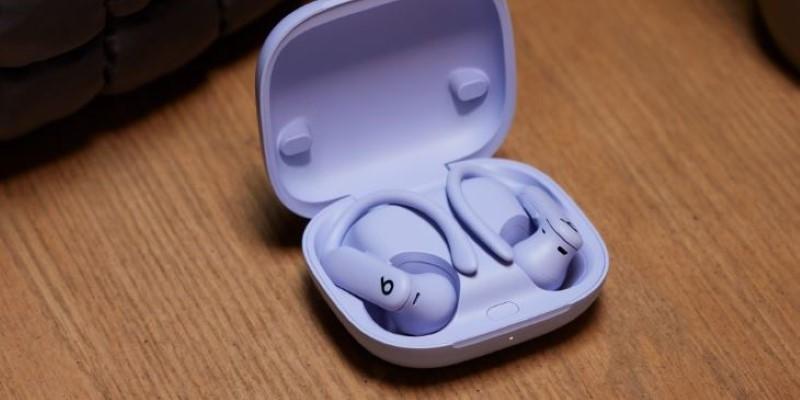
These earbuds eliminate that entire step. The moment you secure the hook behind your ear, the optical sensors—positioned to sit flush against the skin—start tracking. There is no pairing process for the heart rate feature itself once the initial setup is done. You don't have to moisten any electrodes or adjust a tight band that restricts your breathing during heavy squats.
I found this particularly useful during early morning runs. Usually, I spend precious minutes syncing a watch to a strap. With the Powerbeats Pro 2, I just grabbed the case and ran. The data flows directly into Apple Health or the Beats app on Android. It captures the steady-state cardio metrics reliably. For someone who tracks Zone 2 training, where staying within a specific heart rate window is critical, removing the friction of a chest strap means you are more likely to actually track the data rather than skipping it because it was too much hassle at 6 AM.
Navigating the Ecosystem of Connected Equipment
A major frustration for gym users is the "walled garden" of fitness data. You run five miles on a treadmill, but that data lives on the treadmill's screen and dies the moment you step off. Your phone has no idea you exercised. The Powerbeats Pro 2 addresses this by acting as a bridge between you and the machine.
You can broadcast your heart rate directly from the earbuds to compatible gym equipment. This works surprisingly well with newer treadmills and stationary bikes that support Bluetooth heart rate profiles. You double-press and hold the button on the earbud, and it enters a broadcasting mode. The treadmill picks up the signal, and suddenly your heart rate is right there on the large display in front of you.
This feature solves the "fragmented workout log" problem. Instead of manually entering "30 minutes, avg HR 145" into a logbook later, the machine and your phone can now speak the same language. However, this does come with a quirk. When you are in this specific broadcasting mode, connection stability with your phone for music streaming can sometimes stutter in crowded gyms with high interference. It is a trade-off. You get seamless data on the machine, but you might experience the occasional audio blip if you are surrounded by fifty other Bluetooth devices.
Comfort Adjustments for Long Sessions
The original Powerbeats Pro were famous for their stability, but they were also infamous for hurting your ears after an hour. The plastic ear hooks were rigid. If your ears didn't match the exact curve Apple designed, you felt a pinch.
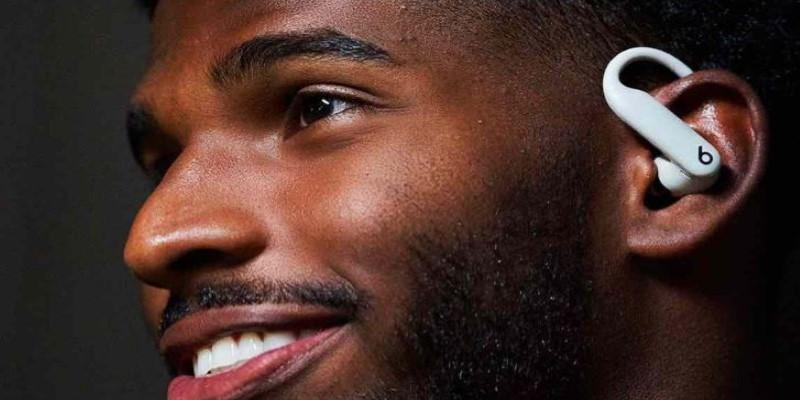
Beats switched to a nickel-titanium alloy for the hooks on the Powerbeats Pro 2. This material choice solves the "endurance ache" problem. The hooks are flexible. They yield when you move your jaw or adjust your glasses, rather than digging in. This matters immensely for runners who go for long distances.
I tested these on a ninety-minute trail run where the terrain was uneven. Usually, the constant jarring motion causes rigid earbuds to micro-shift, leading to sore spots. These moved with me. The sensor requires a snug fit to get an accurate heart rate reading, but the flexibility of the hook allows you to get that seal without jamming the tip painfully deep into the ear canal.
There is a caveat here for people with smaller ears. The case is 33% smaller, which is great for pockets, but the earbuds themselves still command a lot of real estate. If you struggled with the sheer volume of the original Powerbeats, the flexible hook helps, but it doesn't change the fact that these are large units designed to stay put at all costs.
Understanding the Limits of Ear-Based Sensors
It is vital to understand what this tool cannot do. Optical heart rate sensors, whether on a wrist or in an ear, struggle with rapid fluctuation. If you are doing high-intensity interval training (HIIT) where your heart rate spikes from 110 to 170 in twenty seconds, the Powerbeats Pro 2 will lag.
This is a physics problem, not a brand failure. The sensor measures blood flow changes. When you sprint, your arms (and head) move violently, and blood flow becomes turbulent. A chest strap measures electrical impulses, which are instant. The Powerbeats Pro 2 measures the consequence of the heartbeat (blood flow), which introduces a delay.
For steady lifting, running, or cycling, the accuracy is impressive. It matches dedicated watches within a beat or two. But for CrossFit athletes or sprinters, you might see the reading "stuck" at 140 bpm while your chest feels like it is exploding at 180, only for the graph to catch up ten seconds later.
Conclusion
Knowing this limitation is key to using the tool effectively. I use them for my long runs and tempo workouts, where the data is consistent. For sprint intervals, I accept that the graph will look smoother than reality. It solves the problem of "no data," but it doesn't replace the clinical precision of an electrical chest strap for specific, high-performance needs. It is a tool for the 95% of training that builds the base, not the 5% that tests the absolute peak.