The modern tablet market is usually a race for "more." Manufacturers chase higher brightness, faster processors, and intrusive notifications that derail your train of thought. The XP-Pen Magic Note Pad enters this crowded space not by trying to out-spec an iPad Pro, but by offering a quieter and more deliberate experience.
It is a device built specifically for the person who misses the tactile friction of a pencil on paper but needs the organizational power of a computer. This isn't just another Android tablet with a stylus thrown in the box; it is a specialized tool designed to bridge the gap between a physical Moleskine notebook and a high-end drawing slate.
The "Paper" Experience in a Digital Slab
The first thing you notice when you touch the Magic Note Pad is that it doesn't feel like glass. Most tablets are slippery; writing on them feels like sliding plastic across a window pane. XP-Pen has utilized a nano-etched "X-Paper" display that introduces microscopic texture to the surface.
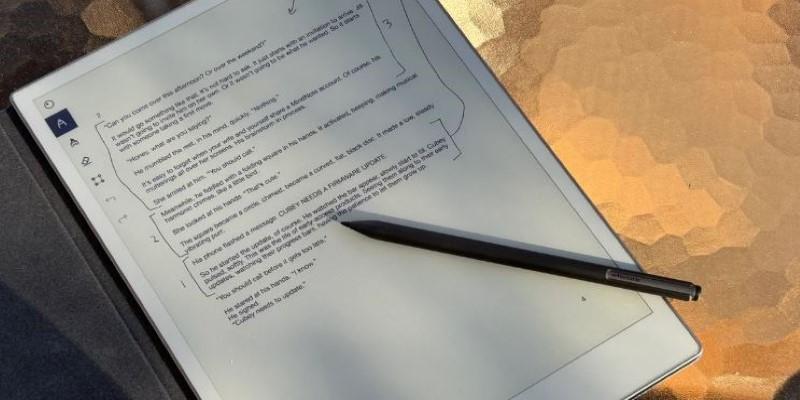
This screen technology pairs with a unique software feature known as the 3-in-1 color mode. While standard tablets blast you with high-saturation light, this device lets you toggle between "Nature Color" for standard vibrant viewing, "Ink Paper" for black and white e-ink simulation, and "Light Color" for a desaturated look.
A realistic scenario for this is the "focus session." You might start your day in Ink Paper mode, reading PDF reports or textbooks without the eye strain associated with backlit LEDs. It mimics the calmness of a Kindle but with a refresh rate fast enough to scroll without ghosting. When you need to annotate a diagram or highlight text, you switch to Light Color mode. This keeps the experience gentle on the eyes while reintroducing useful visual context. It creates a reading and writing environment that feels distinct from the high-energy world of your smartphone.
Stylus Performance That Feels Analog
The included stylus, the X3 Pro Pencil 2, is the heart of the experience. Unlike competitors that require you to charge the pen magnetically or plug it in for an awkward five minutes, this stylus uses Electro-Magnetic Resonance (EMR) technology. It never needs a battery. You pick it up, and it works. This removes a massive friction point for users who only write sporadically, as you never have to worry if your "pen" is dead.
The real draw here is the pressure sensitivity. With 16,384 levels of pressure, it is twice as sensitive as many professional graphics tablets from just a few years ago. In practice, this means the device captures the faintest whisper of a line. If you are a sketch artist, you can feather in light shading without adjusting brush settings software-side; you just press lighter. For note-takers, it captures the unique character of your handwriting, including the subtle tapers at the end of letters.
However, it is worth noting the physical design. The stylus is lightweight, perhaps too light for those used to heavy, premium fountain pens. It includes a customizable shortcut button that can switch between eraser and brush instantly. This feature speeds up workflow significantly during lectures or brainstorming sessions. While it may lack the heavy barrel feel of expensive aftermarket accessories, its performance on the specialized screen makes it feel like a natural extension of your hand rather than a peripheral.
Software Built for the Scatterbrained Thinker
Hardware is only half the battle; the software dictates the workflow. The Magic Note Pad runs on Android 14, giving you access to the full Play Store, but its killer feature is the integrated XPPen Notes app. This isn't just a blank canvas; it is a capture tool designed for the chaos of real-world meetings and lectures.
The standout utility here is "Recording Follows Handwriting." Imagine you are in a fast-paced marketing meeting. You are jotting down bullet points, but the speaker is talking faster than you can write. You simply hit record. Later, when you review your notes, you can tap on a specific word you wrote, and the audio will jump to exactly what was being said at that moment. This context retention is invaluable for students and journalists who need to verify quotes or clarify complex instructions.
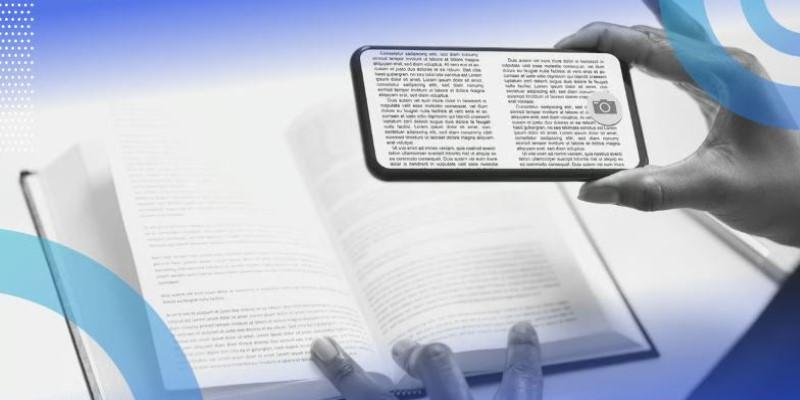
For those who prefer typed text, the optical character recognition (OCR) is surprisingly robust. You can scribble a messy grocery list or a meeting agenda and convert it into editable text with a single tap. It handles cursive reasonably well, though, like all OCR, it struggles with messy scrawl. The ability to split the screen further cements its role as a learning companion. You can have a YouTube tutorial open on one side and your sketchbook on the other. You aren't toggling apps; you are consuming and creating simultaneously.
Where It Fits in Your Bag (and Where It Doesn't)?
At just 6.9mm thick, the Magic Note Pad disappears into a tote bag or backpack. It is significantly lighter than a laptop and less cumbersome than carrying a sketchbook plus a marker case. It hits a sweet spot for portability, encouraging you to take it to coffee shops or on commutes where a larger 13-inch tablet might feel unwieldy.
However, expertise requires acknowledging limitations. This is not a replacement for a high-end iPad Pro if your workflow involves 4K video editing or heavy 3D rendering. The processor is a mid-range chip designed for efficiency, not raw horsepower. It handles multitasking and large PDF files smoothly, but it will stutter if you try to run high-fidelity games. Additionally, while the battery is solid for days of writing, the screen technology doesn't get as blindingly bright as an OLED panel. This makes it slightly harder to view in direct, harsh sunlight compared to flagship phones.
Conclusion
The XP-Pen Magic Note Pad is for the "active thinker." It is for the person who thinks better with a pen in hand but hates the disorganization of loose paper. By stripping away the gloss of standard tablets and focusing entirely on the writing experience, it offers a digital sanctuary for your ideas. It doesn't try to do everything; it just tries to be the best digital note-taking tablet you have ever owned.