Microsoft is changing how people experience AI at work. The latest Copilot update brings two features that blend nostalgia and practicality: a Clippy-inspired assistant with personality and a collaborative chat built for group projects. Instead of flashy pop-ups, this Copilot quietly assists within apps like Word and Teams, feeling more like a reliable colleague than a cartoon helper.
Microsoft’s approach focuses on familiarity and smoother interaction, not novelty. By softening tone and context, Copilot aims to make everyday work feel less mechanical and more conversational. It’s a modern reimagining of Clippy’s intent—helpful, human, and quietly integrated.
A Softer, More Human Copilot
The comparison to Clippy isn’t superficial. Microsoft is deliberately designing Copilot to have moments of personality—light jokes, casual phrasing, and the ability to respond to tone. Unlike Clippy, it doesn’t bounce around your screen or guess wildly at what you’re doing. Instead, it shows up more naturally in context, particularly inside apps like Word, Excel, and Teams. It might greet you in a document with a dry aside or clarify its reasoning in a way that feels a little more conversational than clinical.

What’s changed is the delivery. For example, if you ask Copilot in Excel why a formula isn’t working, it now walks through the logic in plain terms, sometimes with metaphors or friendly cues. Not jokes for the sake of being funny, but tone softeners that make repeated AI interactions feel less mechanical. This matters when people are using the assistant multiple times a day across different apps. A little warmth helps avoid fatigue.
There are limits. It won’t hold long, memory-rich conversations. There’s no real backstory or identity to latch onto. It’s still a productivity tool, not a character. And in enterprise settings, too much personality could actually backfire if it feels unprofessional. Microsoft is threading a careful line here. The personality is minimal and often reactive rather than attention-seeking. You won't see Clippy-style pop-ups asking if you're writing a letter.
Group Chat That Actually Understands Context
The other standout in this release is collaborative chat inside Copilot. This isn’t just about chatting with AI. It’s a new mode where multiple people can interact with Copilot at the same time in a shared space—similar to a group chat with a project manager that happens to be AI.
Think of a marketing team reviewing a campaign plan in Microsoft Teams. One person wants to pull last quarter's campaign performance. Another is asking for a revised copy of the CTA. A third is checking compliance wording. Instead of jumping between chats or delegating one person to ask Copilot, they all interact in the same space. Copilot pulls from SharePoint files, team emails, calendar entries, and recent chat threads to answer each query, showing its sources and tracking the flow of the conversation.
This kind of shared AI session solves a persistent issue: fragmented context. In most tools today, AI only responds to the individual making the request. That’s fine for individual use, but in a group, it leads to repeated requests or out-of-sync answers. Here, Copilot treats the group as one conversational thread. It remembers the chain of prompts, respects each participant’s input, and keeps the information grounded in the shared workspace.
There’s some finesse still missing. If the group gets too large or veers off topic, Copilot can lose track of the thread or mix up document versions. It can also be a little too quick to assume context from nearby chats that may not be directly relevant. But in focused team sessions, it already feels like a meaningful step forward.
Practical Changes in Microsoft 365 Apps
These updates aren’t limited to Teams. Across Word, Excel, PowerPoint, and Outlook, Copilot is getting more collaborative cues and conversational flexibility. In Word, you can now ask Copilot to flag areas that feel repetitive or too technical for a general audience. It doesn’t just rewrite—it provides margin notes with suggested changes, making it easier to review before committing edits.
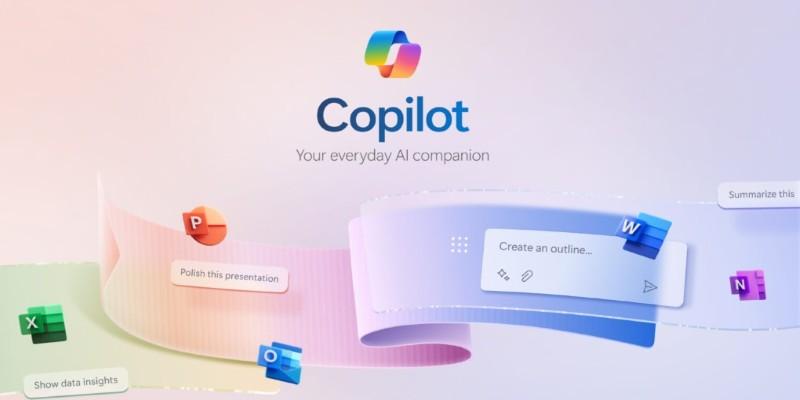
In PowerPoint, Copilot can align slides not just based on visuals, but by detecting narrative pacing. If one section moves too fast or introduces too many new terms, it’ll recommend slide breaks or simpler transitions. This has been particularly useful for sales decks where timing and tone are everything.
In Outlook, the AI can now generate summaries of team threads with source links, then let you ask clarifying questions like “Did we confirm the client deadline?” without restating the whole email chain. This used to be a major drag for teams with high-volume inboxes or when stepping into ongoing conversations midstream.
Still, Copilot isn’t perfect with nuance. It may miss the subtle tone of a client’s email or misinterpret sarcasm in chat threads. It also doesn’t handle attachments with layered comments well—nested PDFs or annotated slides can confuse its reading logic. But with routine tasks and basic coordination, it’s clearly reducing back-and-forth.
Why This Approach Feels Different?
Microsoft’s push here isn’t about making Copilot feel like a person. It’s about reducing friction. Most people don’t want AI that mimics coworkers; they want AI that fits into the flow of how work already happens—without demanding too much adjustment.
That’s why these changes matter. Adding a hint of personality makes daily interactions feel less draining. Group chat capabilities reduce task duplication and communication gaps. And improving how Copilot handles context across apps addresses one of the biggest frustrations with AI right now: shallow understanding.
These are modest moves, not flashy ones. But they add up. If Copilot becomes something people want to interact with—not just something they have to—it changes how AI gets adopted in the workplace. Not as a novelty. Not as a command line. But as something that fits in the room.
Conclusion
Microsoft’s latest Copilot update brings subtle but meaningful changes. With a softer tone and group-aware chat, it blends more naturally into daily workflows. It’s not trying to impress—it’s trying to be useful without getting in the way. Less like a tool you command, more like one that quietly keeps up with the pace of your work.