Digital wallets have grown beyond holding credit cards or tickets. With technology moving toward identity digitization, many are asking if adding a passport to Google Wallet is safe. The idea sounds convenient, having all your important items in one place, but storing something as sensitive as a passport on a phone raises questions. How secure is the system? What happens if the phone is lost, hacked, or accessed without consent? Understanding the balance between convenience, privacy, and real security is key before trusting a digital copy of your most important ID.
How Google Wallet Handles Digital Documents?
Google Wallet began as a contactless payment service but has evolved into a multi-purpose digital container. It now supports various cards and IDs, and in some countries, the option to add a passport or other government-issued identification. The feature works through a verification process involving official digital ID systems that confirm the document’s authenticity before it’s stored on the device.
When a passport is added, Google encrypts the information both in storage and during transmission. This means that the passport data is scrambled into unreadable code, making it nearly impossible for unauthorized parties to interpret. The information is stored locally on your phone, not in Google’s cloud servers, reducing exposure to online breaches. Google also requires biometric authentication—like fingerprint or facial recognition—each time you access sensitive information in the Wallet.
These systems are built to make digital storage as secure as possible, but technology alone doesn’t erase every risk. Security depends not just on encryption, but on how carefully users manage their devices and how governments regulate digital identification systems.
Security vs. Privacy: The Line Between Safe and Private
There’s a difference between keeping data secure and keeping it private. Security is about preventing unauthorized access or theft, while privacy is about controlling who can collect or use your personal information. When you store your passport in Google Wallet, both issues are relevant.
From a safety angle, Google has taken major steps to prevent unauthorized access. Phones must have screen locks and biometric verification, and all Wallet data is encrypted. Even if someone steals your phone, they would still face multiple layers of protection before reaching the stored passport. You can also remotely lock or erase your phone using Google’s Find My Device tool.
Privacy, though, is harder to measure. Google claims it doesn’t use personal ID data for marketing or data profiling. The company emphasizes that passport information is stored on the device, meaning it isn’t visible to Google itself. Still, skeptics worry that placing government-issued documents inside a commercial app could create long-term privacy risks, particularly in regions without clear data laws.
Government partnerships influence the situation, too. Some countries have adopted strict standards for how digital IDs can be used, while others are still developing policies. Until those frameworks mature, users have to rely largely on trust in both Google’s technology and their country’s legal protections.
Practical Use and Real-World Risks
Even with solid security, the practical use of adding a passport to Google Wallet is still limited. Most countries don’t yet recognize digital passports for official international travel. In airports or border control, physical passports remain the only accepted proof of identity. This means that, for now, a digital passport serves mainly as a convenience feature for identification in domestic situations, such as checking into hotels or verifying age.
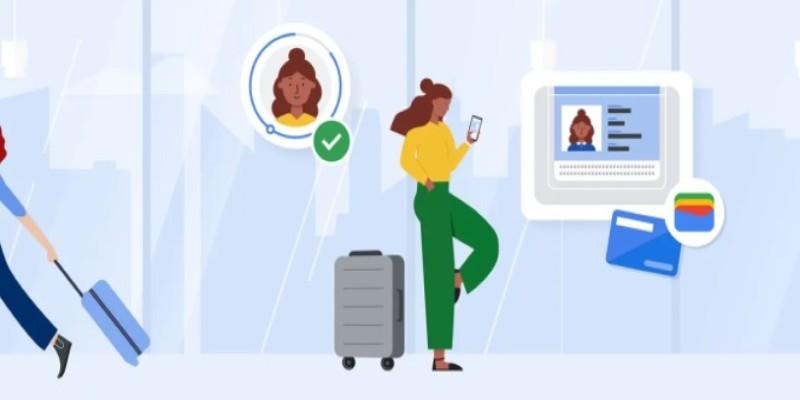
The lack of global recognition is one of the biggest constraints. Different nations have different standards for digital verification, and few have implemented systems that allow a digital passport stored on a smartphone to replace a physical document. Because of this, the feature may feel more experimental than essential for most users.
Another concern is dependency on technology. If your phone battery dies or your screen breaks, you lose access to your digital documents when you might need them most. Having all critical items stored on one device increases vulnerability during emergencies. In addition, some places may not yet be equipped to scan or verify digital IDs, causing confusion or delays.
Cybersecurity threats remain a possibility, even with strong encryption. Malware or phishing attacks that target personal devices could, in rare cases, expose stored information. While the risk is low, it’s not zero. A cautious approach is to treat your phone as securely as your physical wallet—lock it, update it regularly, and avoid installing untrusted apps.
Should You Add Your Passport to Google Wallet?
Whether you should store your passport in Google Wallet depends on where you live and how you use your phone. In countries that officially support digital IDs and where Google’s system is fully recognized, the feature can be practical. The app’s security design, combined with biometric locks, makes it safer than storing a simple photo of your passport. For people who travel frequently or manage several IDs, it might offer added convenience.
However, if you live in a country where digital passports are not legally recognized or where the feature isn’t officially supported, it adds little value. You’d still need your physical passport for travel, and the digital version wouldn’t replace it for official checks. In this case, the benefit doesn’t outweigh the potential risks of keeping such sensitive data on your phone.
Think of digital storage as an addition, not a replacement. If you choose to add your passport to Google Wallet, make sure your device is always protected with biometric authentication, up-to-date software, and remote access tools in case it’s lost. Avoid sharing your phone or unlocking it on unfamiliar networks. And remember, while Google’s protection is strong, user behavior remains the final safeguard.
Conclusion
Adding a passport to Google Wallet is secure from a technical standpoint, thanks to encryption, biometric locks, and local storage. Yet safety isn't just about technology; it's about context, regulation, and awareness. Until digital IDs are universally recognized, the digital version of your passport should be treated as a backup, not a replacement. For now, the choice depends on comfort and location. If your country supports it and you manage your phone responsibly, it can be a convenient feature. But physical passports remain the gold standard for travel and identification. The safest approach is to balance digital tools wisely but keep traditional safeguards close.