We live on YouTube. It has replaced cable television, the morning newspaper, and, for many, the classroom. The platform has spent the last decade optimizing for watch time and ad revenue, which makes business sense for Google. However, this focus has left the user utility tools gathering dust. The interface treats viewers like passive consumers of a feed rather than active curators of a library. We need features that put control back in the hands of the person holding the phone. There are glaring holes in the user experience that, if filled, would transform YouTube from a time sink into a precision tool.
1. Granular Notification Controls for Shorts and Long-form
YouTube Shorts changed notifications from helpful pings to constant noise. You subscribe to twenty-minute video essays or technical tutorials, ring the bell, and suddenly get five Shorts a day. Your pocket buzzes every two hours with clips you don't care about. Frustrated, you turn off notifications entirely, missing the content you actually wanted.
Google should separate notification pipelines. When subscribing, users could check options: “Videos, Shorts, Livestreams, Community Posts.” This exists in limited forms but should be standard. Letting users opt out of Shorts notifications while staying updated on long-form content preserves the utility of the bell feature. Fifteen-second skits and one-hour documentaries serve different needs and audiences—even from the same creator.
2. A "Verbatim" Search Mode
Searching on YouTube has become tricky for power users. Years ago, typing a specific string would yield exact matches. Now, the search bar guesses what you might like, showing loosely related results, “For You” suggestions, and Shorts.
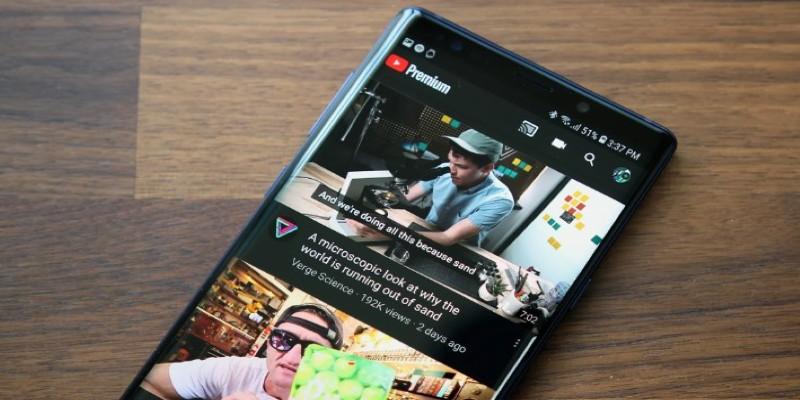
Imagine troubleshooting an older washing machine. You enter the model number and error code, but the algorithm prioritizes recent, polished videos from popular channels rather than the exact solution. Worse, a “People also watch” section may suggest gaming highlights because of past history.
YouTube needs a strict search filter, like Google’s “Verbatim.” A “Strict Match” toggle would respect user intent, surfacing relevant content instead of pushing users into a rabbit hole of high-retention material. Users seeking technical solutions, rare performances, or re-uploads deserve precise results.
3. Comprehensive Keyword Blocking for the Home Feed
The "Not Interested" button is currently a placebo. You tap it, tell Google you don't want to see a video, and refresh the feed. Five minutes later, a similar video from a different channel appears. This is because the recommendation engine clusters topics. If a new superhero movie comes out or a controversial political event happens, the homepage becomes flooded with commentary. If you haven't seen the movie yet and want to avoid spoilers, or if you simply find the political discourse exhausting, you have no shield.
YouTube needs a hard-coded keyword block list, similar to what Twitter or various third-party browser extensions offer. Users should be able to enter terms like "Spoiler," "Crypto," "Election," or specific celebrity names and have the platform scrub those titles from the Home feed. This is vital for user mental health and enjoyment.
Consider the experience of a parent sharing an iPad with a child, or a user trying to avoid news about a traumatic current event. Currently, their only recourse is to clear their watch history or rigorously prune their feed manually, which rarely works for trending topics. A keyword blocker allows users to curate a safe, relevant viewing environment without fighting the tide of global trends. It shifts the platform from being a broadcaster of what is popular to a provider of what is personal.
4. The Return of Community Contributions
Removing community captions was a significant blow to accessibility and international connection. Google cited spam and low usage as the reasons for sunsetting the feature, replacing it with AI-driven auto-captions. While the AI is impressive, it fails miserably with accents, technical jargon, proper nouns, and dialects.
Think about a viewer in Germany watching a complex coding tutorial hosted by a creator in India. The auto-captions might misinterpret a crucial variable name or a software command, rendering the tutorial useless. In the past, a bilingual member of the community would have manually corrected the captions, ensuring accuracy for everyone. That collaborative layer is gone.
This feature needs to return with better safeguards. The solution to spam isn't to burn down the library; it is to hire a librarian. Allow creators to appoint "Caption Moderators" or restrict contributions to subscribed users with good standing. By relying solely on AI, Google has severed a connection between creators and global audiences. Restoring this feature would cost Google very little in terms of infrastructure but would pay massive dividends in goodwill and accessibility. It empowers the community to help each other, filling the gaps where algorithms fall short.
5. Advanced Playlist Management and Sorting
"Watch Later" playlists are dumping grounds for hundreds of videos. YouTube's playlist tools are outdated: you can't sort by length, channel, or date, and bulk editing is nearly impossible on mobile. Deleting watched videos is a tedious, friction-heavy process.
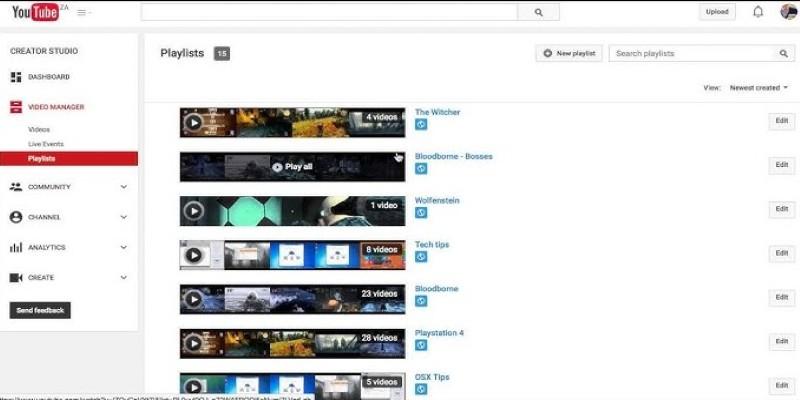
Google should implement robust playlist management: folders within playlists, smart sorting, and filters for topic, length, or date. A “Smart Playlist” feature could automatically group saved videos, e.g., cooking content. Better tools would transform saving videos from tossing them into a black box into creating a curated library.
Conclusion
These missing features highlight a disconnect between how Google builds YouTube and how people actually use it. The engineers build for metrics: hours watched, sessions started, ads served. The users, however, are looking for utility, relevance, and control. We want to find the specific clip we need, filter out the noise we don't, and organize the content we love.
A user who can control their notifications, filter their feed, and organize their playlists is a user who doesn't close the app in frustration. We have enough content; now we need the tools to handle it.