Social media plays a central role in how brands, freelancers, and creators connect with people. But it’s not always easy to manage. Between planning posts, knowing what works, and staying consistent, it gets overwhelming fast — especially when you’re just starting out or juggling accounts. That’s why a free social media marketing resource kit can make a difference. Whether you’re new or have some experience, having access to practical tools helps keep your work steady, efficient, and focused without adding extra stress.
What Makes This Free Resource Kit Different?
Most free downloads online feel either too vague or too complicated. They promise to cover everything but rarely offer real, usable tools. This free social media marketing resource kit does things differently. It’s not just a guide — it’s something you can work with day after day.
The kit is divided into four main areas: strategy, content creation, analytics, and automation. Each section includes plug-and-play templates, idea lists, and examples to help users at any level. If you’ve ever struggled to come up with a week’s worth of posts or track what actually worked last month, this kit fills those gaps.
Unlike many kits that assume a marketing background, this one speaks in plain language. There’s no jargon to wade through. Beginners will appreciate the clear explanations, while pros will find shortcuts and structure that save time. Everything is designed to be practical, without fluff. It doesn’t just tell you what to do — it helps you actually do it.
Inside the Kit: Tools That Work for Everyone
The value of this kit lies in how it simplifies complex tasks without watering things down. Each part of the resource kit serves a specific purpose, helping users stay organized, creative, and consistent in their posting habits.
Strategy and Planning
Getting started without a clear plan often leads to burnout. The strategy section includes basic templates for setting goals, figuring out who your audience is, and tracking what others in your space are doing. These tools work just as well on paper as they do in a digital format, so you can use whatever setup fits your workflow.
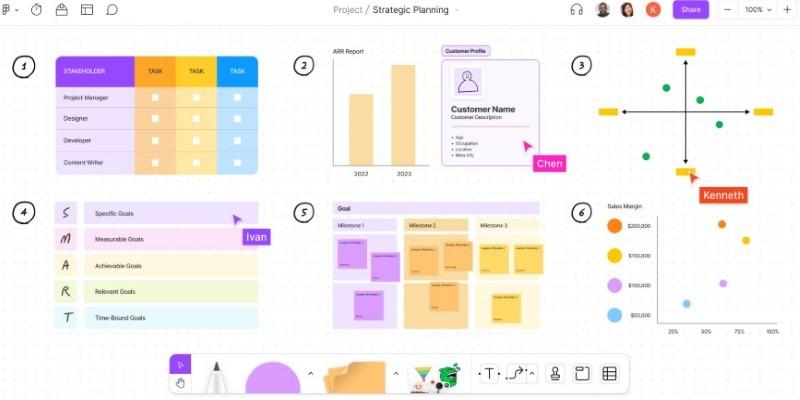
If you’re new to social media marketing, this section helps you build a clear roadmap: defining your brand voice, identifying which platforms to focus on, and choosing the kind of content that fits your goals. For more experienced users, it sharpens targeting and helps fine-tune messaging across multiple platforms.
The goal is to cut out guesswork. With planning tools in place, you’re not just posting randomly — you’re following a plan that aligns with your overall goals.
Content Creation Templates and Ideas
Coming up with ideas every day is one of the hardest parts of staying active on social media. The content creation tools in the kit are designed to remove that pressure. There are caption prompts, post formats, and an annual calendar that aligns with seasonal events, industry awareness days, and general content themes.
It breaks down content by purpose: whether you want to drive engagement, build trust, or encourage clicks. Instead of vague suggestions like “post something fun,” you get practical guidance on how to craft content that fits your audience and tone.
Templates include ideas for reels, story highlights, photo sets, and value-based posts like tutorials or how-tos. These formats help you avoid repetition and add variety to your feed. Even if you’ve been at this a while, having templates at your fingertips can reduce mental load and speed up your creative process.
Analytics and Growth Tracking
Many users focus only on likes or follower growth, but those don’t always tell the full story. The analytics tracker included in this kit helps you dig deeper. It tracks actual performance over time — things like engagement rates, post reach, and actions taken by your audience.
For beginners, it shows what’s working and what’s not, without needing any special software. For professionals, it’s a reliable tool for identifying patterns and guiding future strategy.
Tracking consistently reveals small details that help shape smarter decisions. For example, you may find that early-morning posts do better or that videos lead to more profile visits. These insights come not from guessing but from having simple tools that capture real data.
Automation and Scheduling
Posting manually every day isn't sustainable, especially when managing multiple accounts. The automation section introduces simple, free, or low-cost scheduling tools. It includes a batching guide and a weekly planner.
Instead of listing many apps, it focuses on building a schedule you can maintain. It explains how to plan ahead without sounding repetitive. It also provides a posting checklist and tips for balancing scheduled and real-time content.
Even if you already automate, this part refines how you do it. It supports flexibility while maintaining consistency, helping your calendar run smoothly even on busy weeks.
Why It Benefits Both Beginners and Pros?
This free social media marketing resource kit is flexible enough to support users at different stages. Beginners find it approachable, thanks to its clear layout and hands-on tools. It avoids overcomplicating things and builds confidence from the start.

At the same time, experienced users will find that the templates, calendars, and trackers save hours. Instead of starting from scratch or bouncing between scattered notes, everything is in one place and ready to use. That makes it easier to scale campaigns, work with teams, or manage multiple accounts with less effort.
Whether you’re posting casually or trying to grow a brand, the value of this kit is in how it adapts to your pace and style. It doesn’t push one fixed method — it gives you the space and tools to work the way that suits you best.
Conclusion
Managing content across platforms needs more than ideas — it needs structure and simple tools. This free social media marketing resource kit helps beginners get started with clarity and gives experienced users a way to stay organized. Whether you're growing or improving your presence, the kit supports consistent, focused work without adding stress or relying on complicated systems.