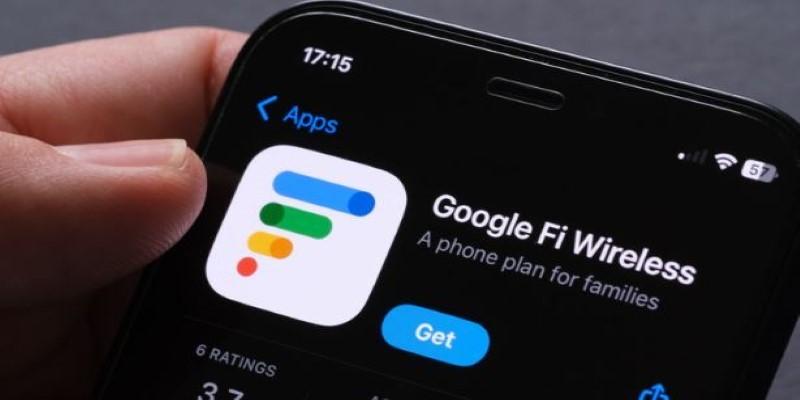
Most people still associate Google Fi Wireless with Pixel phones or Android in general. It started out that way. Google designed the service to run on phones that could take advantage of its unique multi-network switching. Back then, not every device was invited to the party. But a lot has changed, and that includes the answer to a question many iPhone users still wonder about: Can an iPhone use Google Fi Wireless?
Yes, iPhones can use Fi, but not in the exact same way as Android phones. That difference matters depending on what kind of features you rely on. The experience isn’t identical, and the fine print can catch people off guard if they don’t know where to look. So, if you’re thinking about using your iPhone with Fi, it helps to know what works, what’s missing, and where it might not be the best fit.
How iPhones Connect on Google Fi?
When you activate Google Fi on an iPhone, you're technically bringing an "unofficial" device to the service. It's not about legality or violations. It's just that Google Fi doesn't build its features around iOS, so the iPhone setup process skips some of the automation that Android users get. You'll need to manually enter carrier settings, especially for MMS and group texts, to work properly. Google provides instructions, but it's a DIY step that catches people by surprise if they expect plug-and-play.
Another difference is the way network switching works. On supported Android phones, Fi switches between T-Mobile and US Cellular towers, plus Wi-Fi hotspots, depending on which has the best signal. iPhones don’t do this. Instead, they stick to T-Mobile’s network. If you’re in a strong T-Mobile coverage area, it won’t matter much. But in places where US Cellular has a better signal, Android phones will have the edge.
There’s also eSIM support. Most recent iPhones (from XR and XS onward) can activate Fi via eSIM without a physical SIM card. It’s smooth once you get past the initial configuration, and it gives you the flexibility to run a second line from another provider on the same phone if you want.
iMessage, Voicemail, and the Carrier Feel
The day-to-day stuff mostly works the way you’d expect. iMessage works as usual, since it’s tied to your Apple ID, not your carrier. Calls, data, and regular texts come through just fine. Visual voicemail, though, is where things feel different. On iPhones using Google Fi, visual voicemail isn’t supported through the native Phone app. You’ll still get voicemail, but you have to call in the old-fashioned way or use the Google Fi app to see transcripts.
Group texts can be a pain if you skip the manual setup of MMS settings. Without it, messages with photos or group replies might fail or split awkwardly into individual threads. For anyone texting a lot outside iMessage, that’s a noticeable issue.
And then there’s spam filtering. Google Fi’s spam detection works for calls and texts, but it doesn’t integrate as tightly into iOS as it does on Android. You’ll still get flagged calls marked as spam, but the handling feels like an extra layer on top of iOS rather than something that’s built into it.
International Use and Data Flexibility
One area where Fi continues to stand out is international usage. On supported Android phones, you land in another country and just keep using your phone like you would at home—same rates, same features. iPhones do get most of that, but not all.
With an iPhone, international data and texting still work in over 200 countries. You won’t pay roaming fees for data or texts, and the pricing structure is the same as in the US. But Wi-Fi calling outside the US only works if you're calling back to the US. If you’re trying to make a Wi-Fi call to a local number while abroad, it won’t go through. That's one of those small differences that make themselves known when you need them most.
Hotspot usage also works internationally, though with the same usual caveats on speed and performance. As for data plans, Fi’s flexible plan charges you only for what you use, while the unlimited plans give you a set cap before slower speeds kick in. Those plans apply to iPhones just like any other phone.
What's missing is data-only SIM support. On Android, you can order extra SIMs tied to your account to run data on other devices, like tablets or backup phones. iPhones on Fi can't use those in the same way, and there's no Apple Watch support for Fi at all.
Best Fit vs. Not the Right Match
If you already have an iPhone and want Google Fi for its pricing or international benefits, it works well enough. Travelers, residents in strong T-Mobile coverage areas, and those comfortable with occasional manual setup can make good use of it. eSIM support simplifies activation, and the pricing tends to be more transparent than what major carriers offer.
But anyone expecting a fully integrated experience might find Fi on an iPhone lacking. It’s functional but not tailored. If visual voicemail or native spam filtering is important, or if features like call forwarding are part of your daily use, the limitations might stand out.
Support is worth considering, too. Google Fi handles most issues through chat or email. It's generally responsive, but there's no in-person store support as traditional carriers provide. If the setup doesn't go smoothly, you might have to troubleshoot it yourself.
So, can iPhones use Google Fi Wireless? Yes. But the fit depends on expectations, tech comfort level, and location. It works. It just wasn’t designed with iPhones at the center. For some, that’s no issue. For others, it might feel like the wrong match.
The Bottom Line
iPhones work with Google Fi, but not seamlessly. You’ll miss out on full network switching, visual voicemail, and tighter integration. Setup requires manual tweaks, and some features behave differently than on Android. Still, for travel-friendly rates, eSIM support, and solid coverage in T-Mobile areas, it’s a decent option, just not a fully optimized one for iOS users.