For a long time, buying a Google wearable felt like paying to be a beta tester. The first generation was beautiful but fragile; the second fixed the sensors but ignored the battery. With the release of the Pixel Watch 4, the dynamic has finally shifted. We are no longer talking about potential or promises. We are talking about a mature product that has figured out exactly what it wants to be. It isn't defined by one massive overhaul, but by the accumulation of solved problems that turn this smartwatch into the default recommendation for Android users in 2025.
Ending the Daily Charging Anxiety
The most significant shift in using the Pixel Watch 4 is psychological. Previous models required a strict, almost religious adherence to a charging schedule. You had to charge it while you showered or right before bed, and if you forgot, you ended up with a dead brick on your wrist by noon. The anxiety of the "24-hour battery" loomed over every interaction.
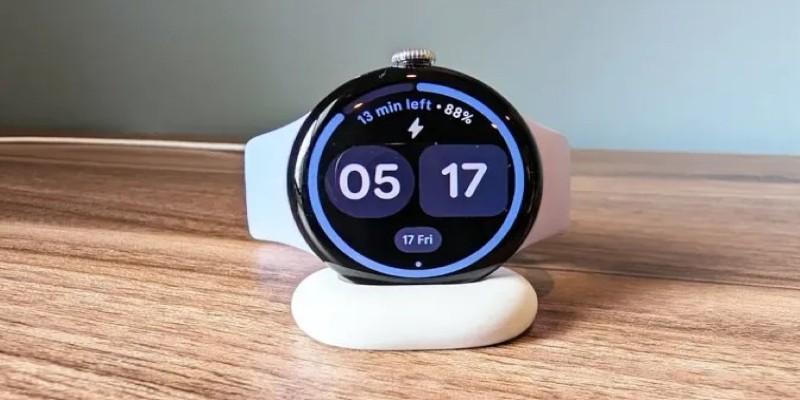
Google has finally cracked the efficiency code. By leaning harder on a low-power co-processor to handle background tasks like step counting, always-on display rendering, and notification mirroring, the main processor sleeps more often. The result is a device that comfortably pushes past the 36-hour mark, even on the smaller 41mm model. The larger 45mm variant often stretches to two full days with light use.
A realistic user scenario looks like this. You wake up on Tuesday, track a 30-minute GPS run, go to work, receive notifications all day, and sleep with the watch on for health tracking. When you wake up on Wednesday, you still have 35% battery left. You don't have to panic charge before your morning coffee. This endurance changes how you use the device. You stop disabling features to save power. You leave the always-on display active. When you do need to charge, the new pin-based fast charger is significantly more secure than the old magnetic puck, hitting 50% capacity in roughly fifteen minutes.
Visibility That Competes with Sunlight
The display on the Pixel Watch 3 was good, but the Pixel Watch 4 is excellent. Google brought the "Actua" branding over from their phone line, and it is not just marketing fluff. The peak brightness now hits 3,000 nits. While you rarely need that kind of power indoors, it solves a specific, annoying problem: outdoor legibility.
Runners and cyclists know the struggle of trying to check a pace or a heart rate zone while the sun is beating down directly on the screen. On older OLED panels, you had to cup your hand over the display or squint to make out the numbers. With the Watch 4, the text cuts through the glare instantly. The auto-brightness algorithm is also much more aggressive, reacting to changes in ambient light without that sluggish delay found in previous generations.
The bezels have also gone on a diet. While the curved glass still creates a distortion effect at the edges, the black border between the pixels and the metal frame has shrunk by about 15%. This makes map navigation feel significantly less claustrophobic. You can see more of the street layout without scrolling. It makes the watch face feel expansive, creating the illusion that the interface is painted directly onto the glass surface. It creates a seamless visual experience that matches the premium build quality of the chassis.
Voice Commands That Actually Listen
Latency is the killer of voice assistants. In previous iterations, asking Google Assistant to set a timer or send a text involved a distinct pause. You would speak, wait for the spinning animation, and hope the server caught your words. It was often faster to just tap the screen, which defeated the purpose of a hands-free assistant.
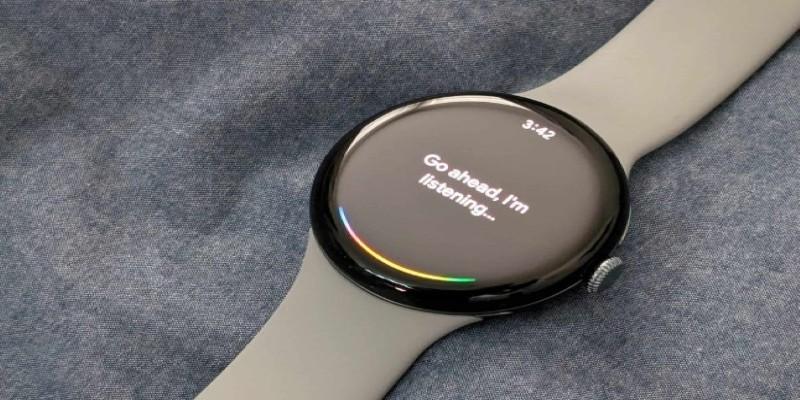
The Pixel Watch 4 moves the vast majority of this processing on-device using the Gemini Nano model. The difference in speed is jarring. You hold the side button—or simply raise your wrist if you have "c" enabled—and the watch listens immediately. There is no round-trip to the cloud for basic commands.
Imagine you are cooking. Your hands are covered in flour. You need to set a timer for the pasta and reply to a text from your spouse. You lift your wrist and say, "Set a pasta timer for eight minutes and tell Sarah I'm running ten minutes late." The watch parses this instantly. It doesn't stumble. It doesn't ask you to repeat yourself.
This local processing also extends to dictation. The accuracy of speech-to-text has improved to the point where typing on the tiny keyboard feels obsolete. It captures punctuation and corrects nuances in real-time. It understands when you stumble over a word and corrects the sentence structure before sending. This transforms the watch from a passive notification viewer into a legitimate communication tool. You can handle entire conversations while walking the dog without ever reaching for your phone.
A Health Suite That Contextualizes Data
The final piece of the puzzle is how the watch handles health data. Wearables are great at collecting numbers, but they are historically terrible at explaining them. The integration of Fitbit deep into the OS has reached a level of maturity here that feels genuinely helpful rather than nagging.
The "Morning Brief" is the standout feature. Instead of bombarding you with disparate stats, sleep score, readiness, step goal, and weather, the watch synthesizes this into a coherent narrative when you wake up. The watch detects the elevated resting heart rate and temperature variance, suggesting rest rather than exertion. It acts less like a drill sergeant and more like a coach. This shift, combined with the hardware improvements, makes the Pixel Watch 4 feel like a device that finally understands its place in your life.
Conclusion
The Pixel Watch 4 proves that the best upgrades aren't always about flashy new sensors, but about removing friction. By fixing the battery life, ensuring the screen is legible in sunlight, and making voice commands instant, Google has removed the barriers that kept the device from feeling essential. It no longer demands that you work around its limitations. Instead, it quietly fits into your life, doing exactly what a modern computer on your wrist should do: save you time without wasting your patience.